> For the complete documentation index, see [llms.txt](https://docs.inogic.com/llms.txt). Markdown versions of documentation pages are available by appending `.md` to page URLs; this page is available as [Markdown](https://docs.inogic.com/sharepoint-security-sync/features/view.md).
# View
Users can preview necessary files with a single click before downloading them.

{% hint style="info" %}
**Note:** The Attach2Dynamics UI has been extended to work with Activity Entities. To enable this functionality, set the "Allow" setting in [Entity Configuration](/sharepoint-security-sync/features/create-multiple-folders-for-activity-entities.md).
{% endhint %}
## Preview support on the Attach2Dynamics User interface
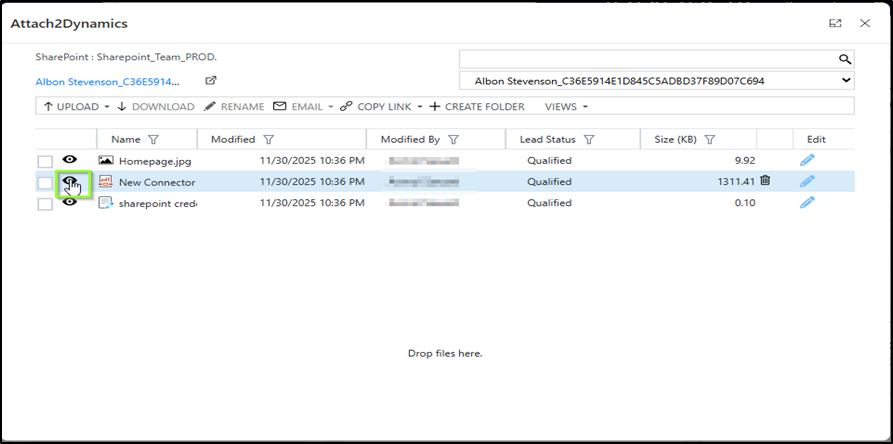
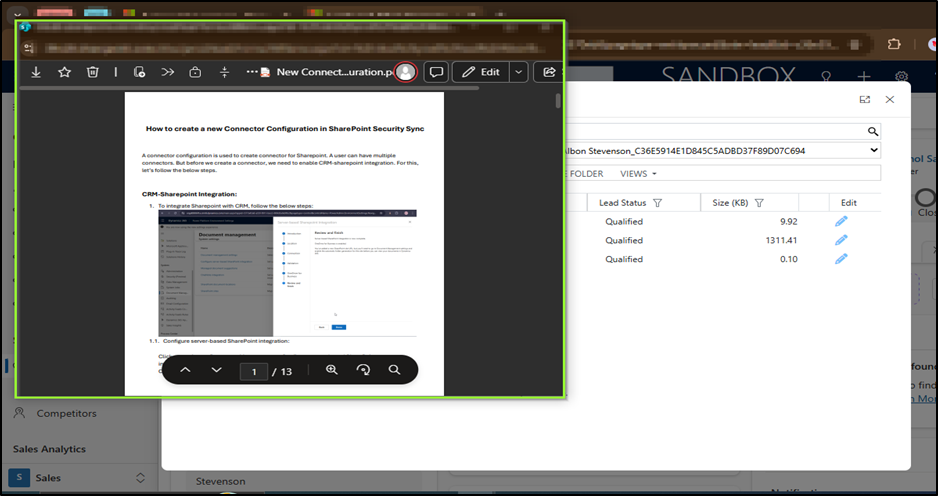
The Preview feature allows users to open and view documents stored in SharePoint directly within Dynamics 365 through the Attach2Dynamics interface without downloading the file.
This means users can instantly check the contents of a document, such as PDFs, images, Word files, and spreadsheets, in a built-in preview window.
By simply clicking the **Preview** icon in the Attach2Dynamics UI, a preview window opens for the selected file. This allows users to view the file directly without downloading and opening it separately.
{% hint style="success" %}
For further queries, reach out to us at
{% endhint %}