> For the complete documentation index, see [llms.txt](https://docs.inogic.com/llms.txt). Markdown versions of documentation pages are available by appending `.md` to page URLs; this page is available as [Markdown](https://docs.inogic.com/whatsapp4dynamics/ai-integration-inowiz-copilot/features/sentiment-analysis.md).
# Sentiment Analysis
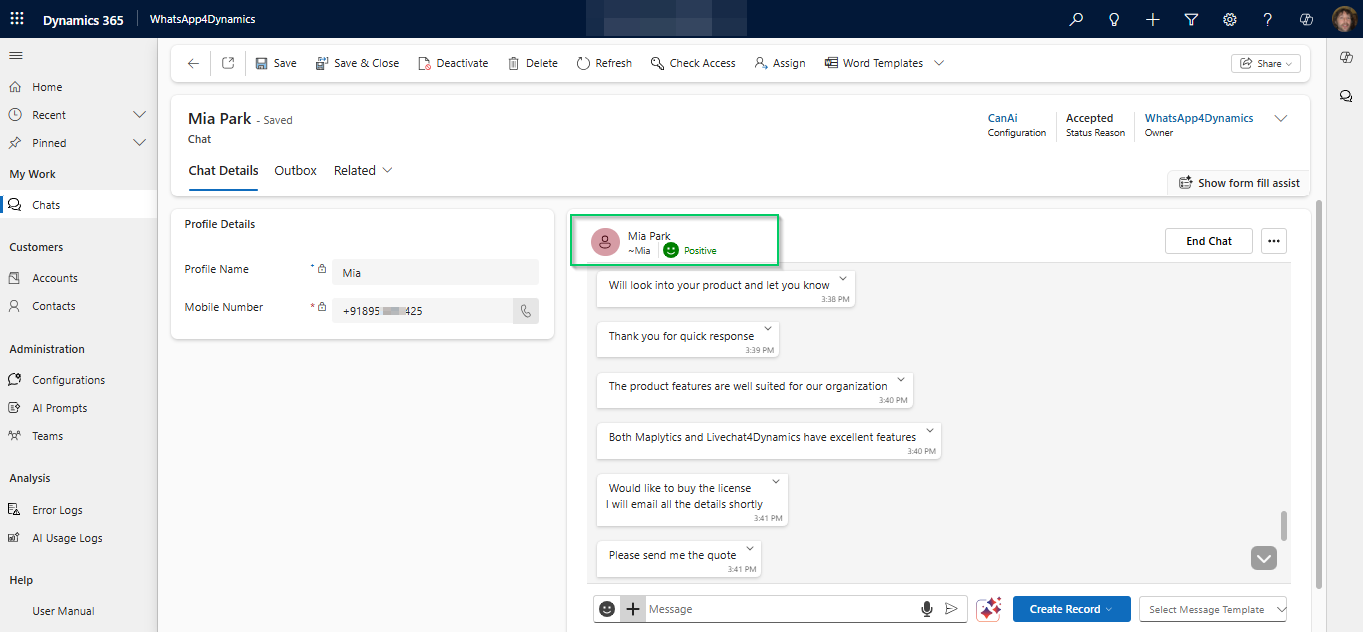
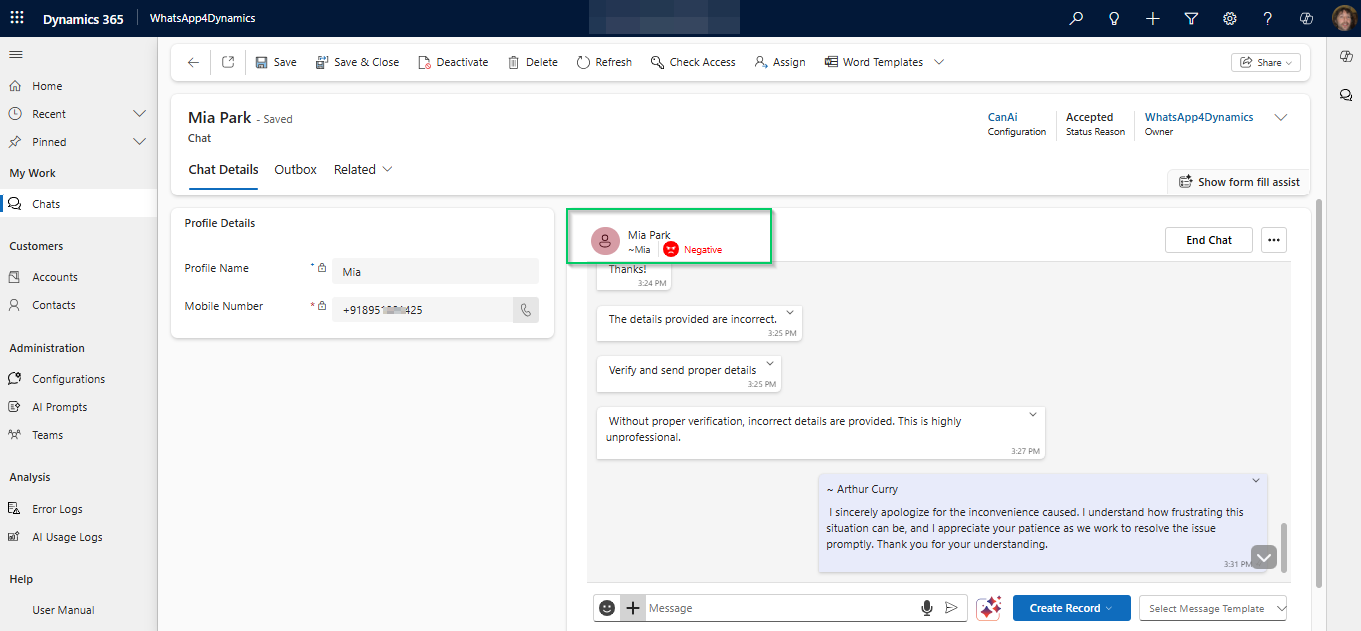
As soon as a chat is loaded in WhatsApp4Dynamics, the system automatically performs **Sentiment Analysis** to help you quickly understand the emotional tone of the conversation. This insight is shown right at the top of the chat window, giving agents a valuable head start when responding.
**How It Works**:
* The AI scans the most recent messages in the conversation.
* Based on language cues, it identifies whether the overall sentiment is **Positive, Neutral,** or **Negative**.
* The detected sentiment is displayed using clear labels and color-coded indicators.
Refer to the screenshot below to see how positive and negative sentiments are displayed in the chat interface:
**Positive Sentiment**
**Negative Sentiment**