> For the complete documentation index, see [llms.txt](https://docs.inogic.com/llms.txt). Markdown versions of documentation pages are available by appending `.md` to page URLs; this page is available as [Markdown](https://docs.inogic.com/whatsapp4dynamics/uninstallation.md).
# Uninstallation
To uninstall the solution from Power Apps, follow the simple steps given below:
### Check Dependencies (If Uninstallation Fails)
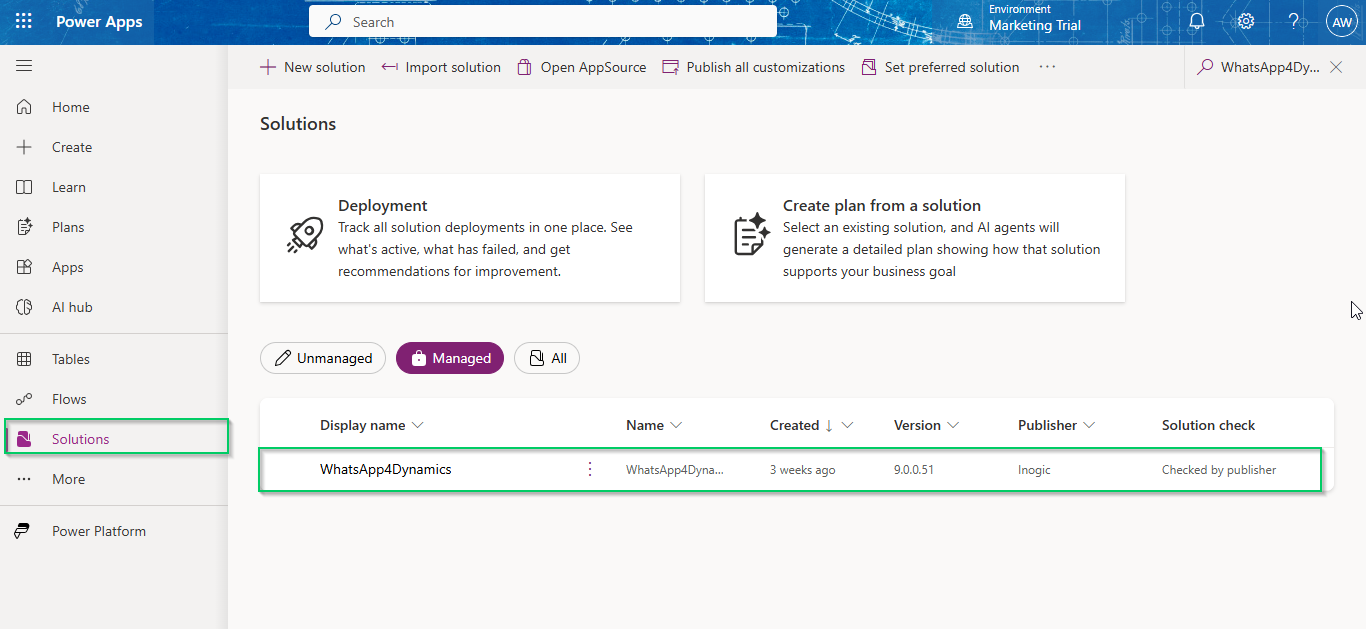
1. Go to [make.powerapps.com.](https://make.powerapps.com/)
2. Click on **Solutions**.
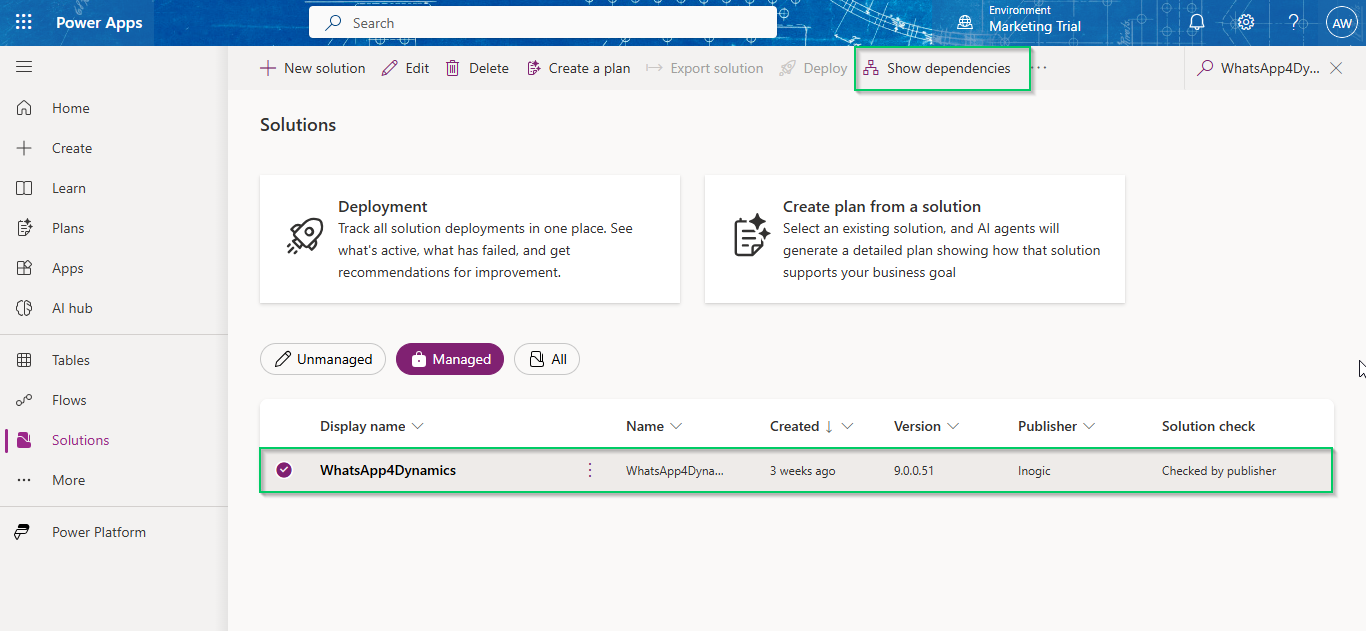
3. Select **WhatsApp4Dynamics** solution.
4. Click **Show Dependencies**.
5. Review the listed dependencies and remove them using the steps provided below.
6. Retry uninstalling the solution.
### Step 1: Delete Record Types One by One
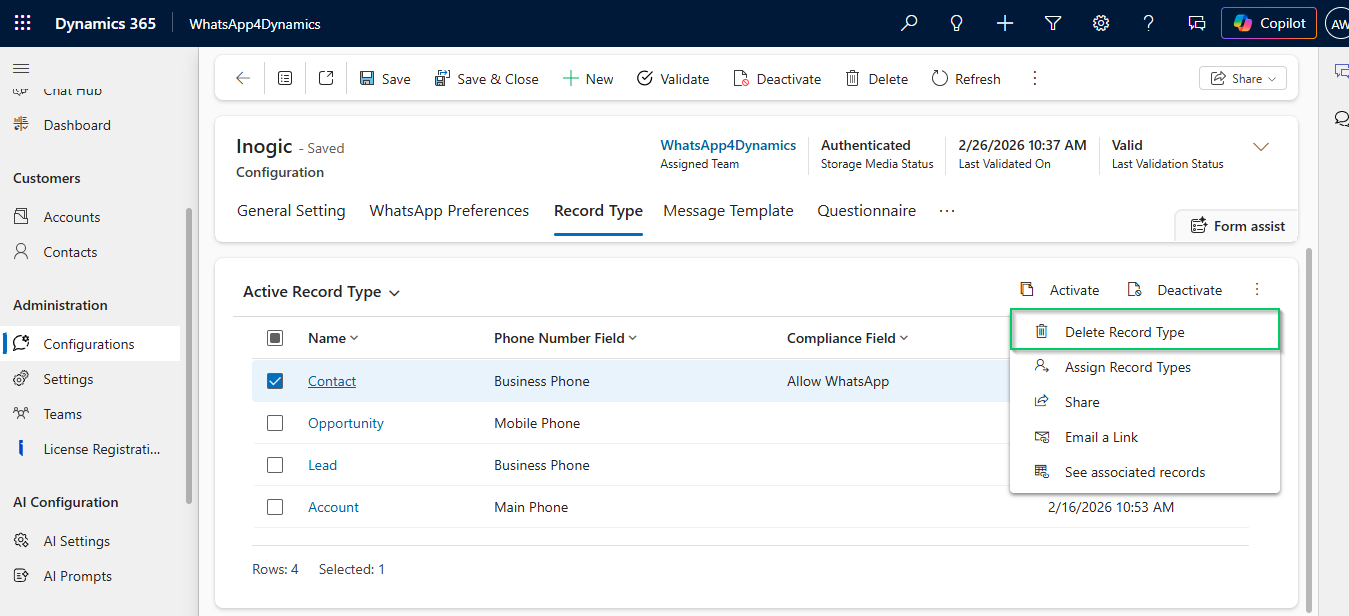
1. Open the WhatsApp4Dynamics app.
2. Navigate to **Configuration** → **Record Type**.
3. Select each record type created for the solution.
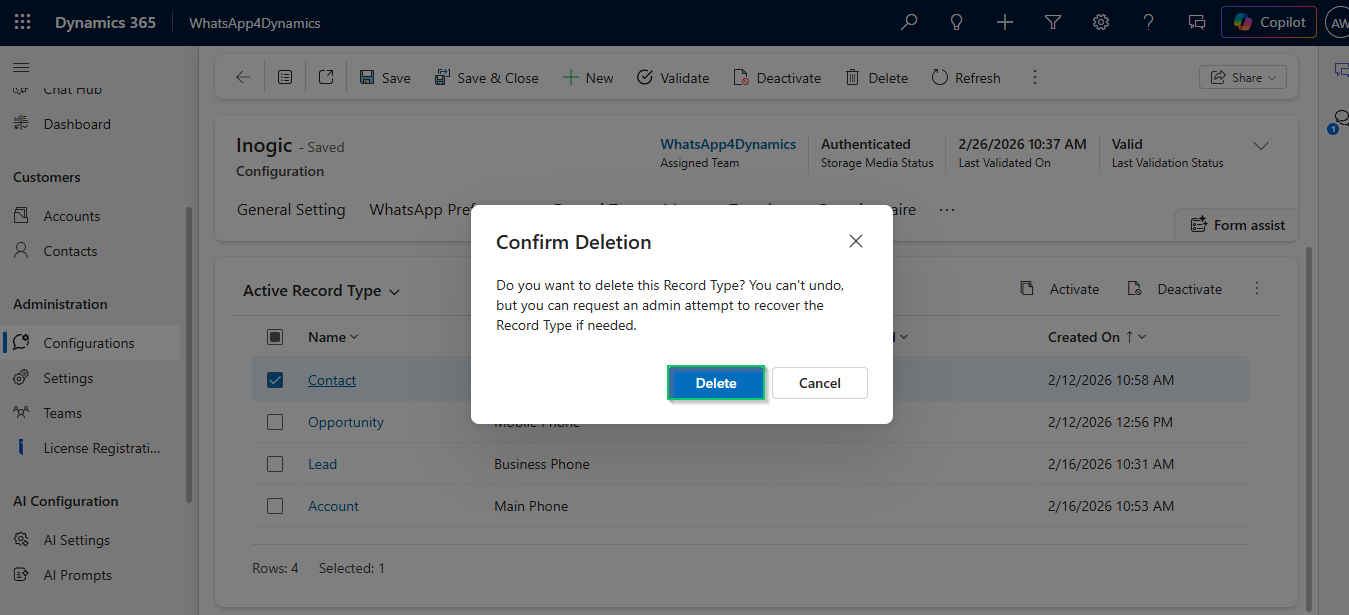
4. Click Delete and confirm.
5. Repeat until all record types are removed.
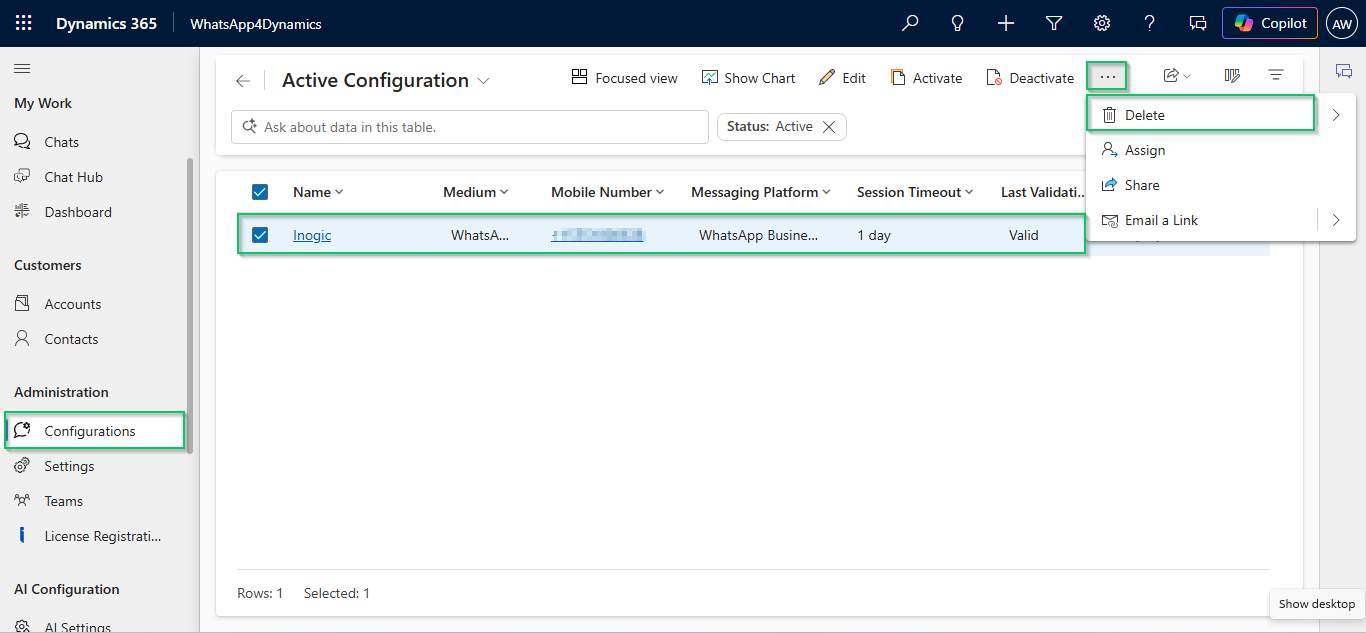
### Step 2: Remove Configuration Records
1. Go to Configuration within the app.
2. Select and delete any remaining configuration records related to WhatsApp4Dynamics.
### Step 3: Deactivate and Delete Processes
1. Navigate to **Processes** (Workflows/Background Processes).
2. Deactivate any processes related to WhatsApp4Dynamics.
3. Once deactivated, delete them.
### Step 4: Remove Custom Automations
1. Check for any Power Automate flows or custom workflows created for WhatsApp4Dynamics.
2. Turn them off.
3. Delete them permanently.
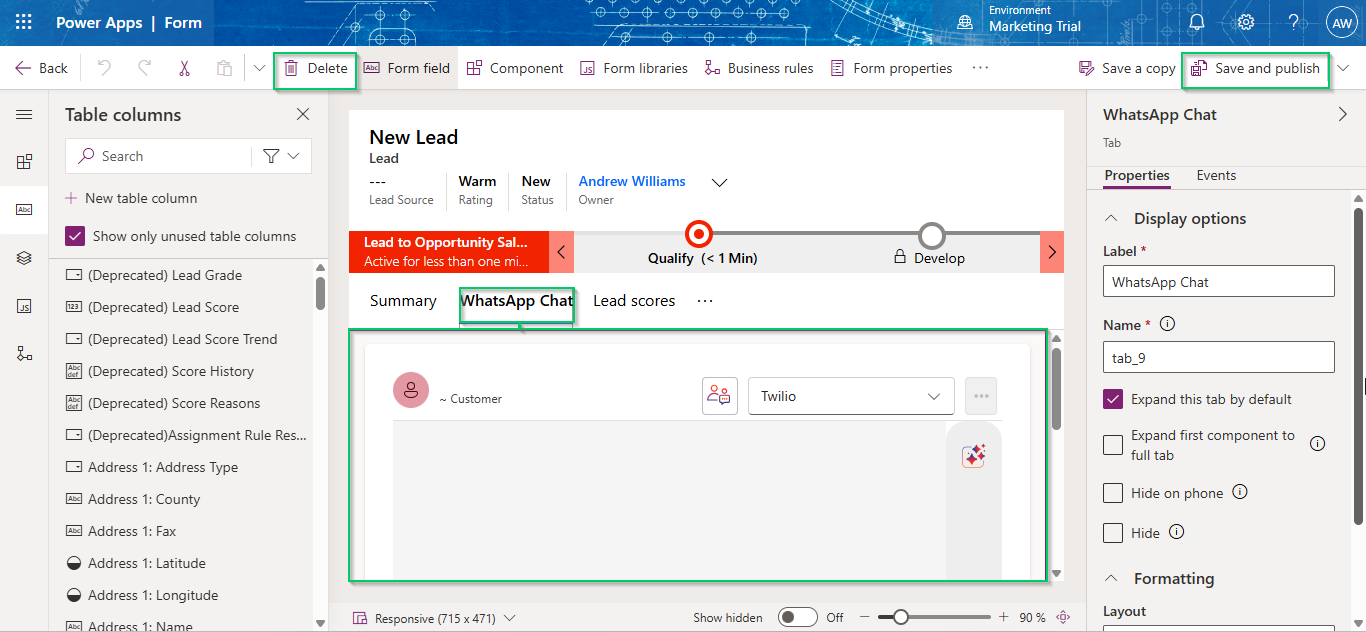
### Step 5: Remove PCF Controls (If Applicable)
1. If the WhatsApp chat UI (PCF control) was added to any out-of-the-box or custom entities, open those entities.
2. Remove the PCF control from the form.
3. **Save and publish** the changes.
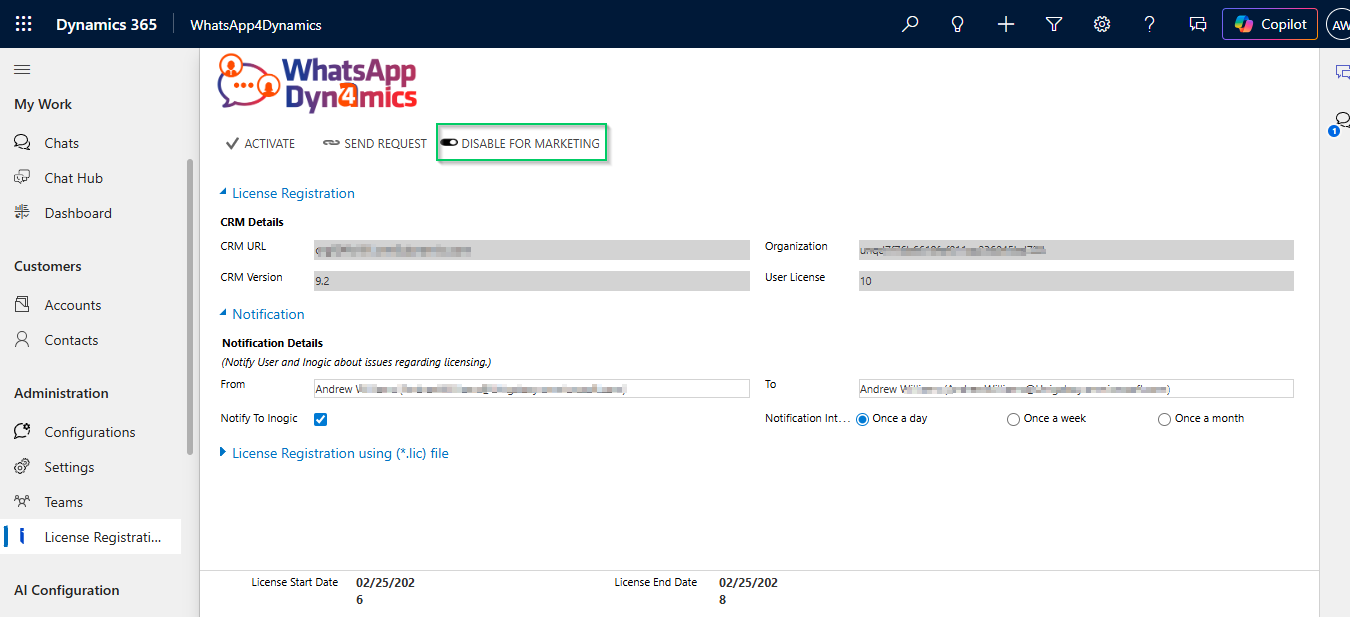
### Step 6: Turn Off Marketing Toggle (If Enabled)
1. Navigate to the **License page** and ensure the **Enable Marketing** toggle is turned off.
2. Save the changes.
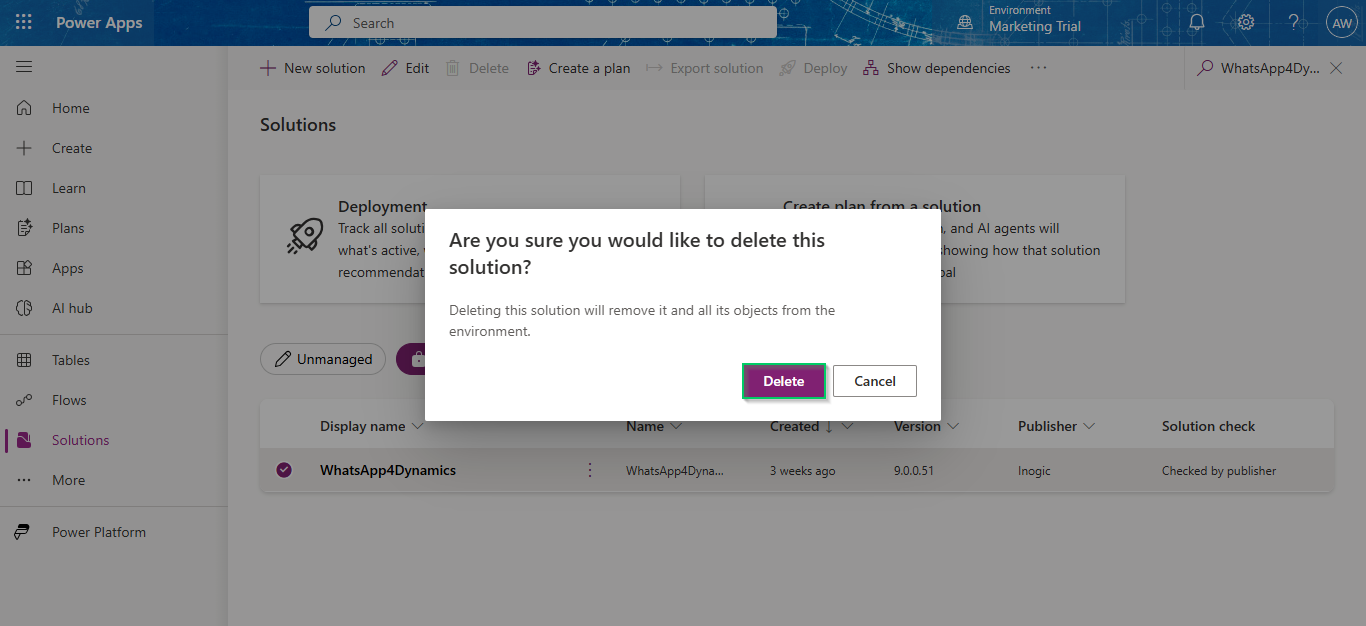
### Step 7: Delete WhatsApp4Dynamics
1. Navigate to **Solutions**.
2. Select the WhatsApp4Dynamics and click **Delete**.