> For the complete documentation index, see [llms.txt](https://docs.inogic.com/llms.txt). Markdown versions of documentation pages are available by appending `.md` to page URLs; this page is available as [Markdown](https://docs.inogic.com/textsms4dynamics/features/mapping-crm-records.md).
# Mapping CRM Records
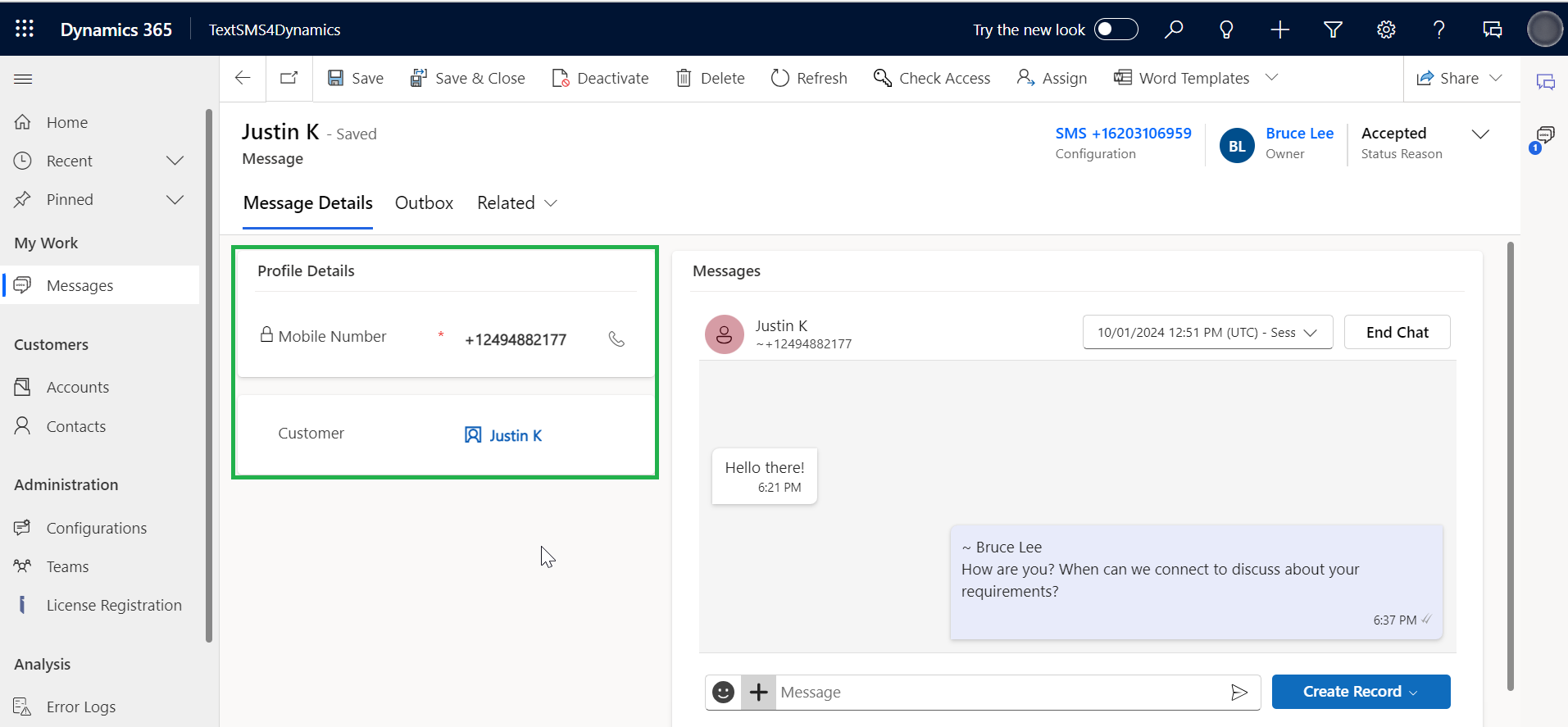
Mapping CRM Records is possible with TextSMS4Dynamics! TextSMS4Dynamics finds CRM records (any record types created during the configuration process) and maps them with the new messages on the basis of their mobile number. This enables more informed and context-rich conversations and helps deliver personalized support.
**For Example:**
* In the below example, **Justin** is the **Contact** in the CRM that is **mapped by TextSMS4Dynamics** from the phone number associated.
{% hint style="info" %}
**Note:** In case there are multiple entities with the same phone number, preference will be given to the first record type that was created.
{% endhint %}
{% hint style="success" %}
For further queries, reach out to us at
{% endhint %}